
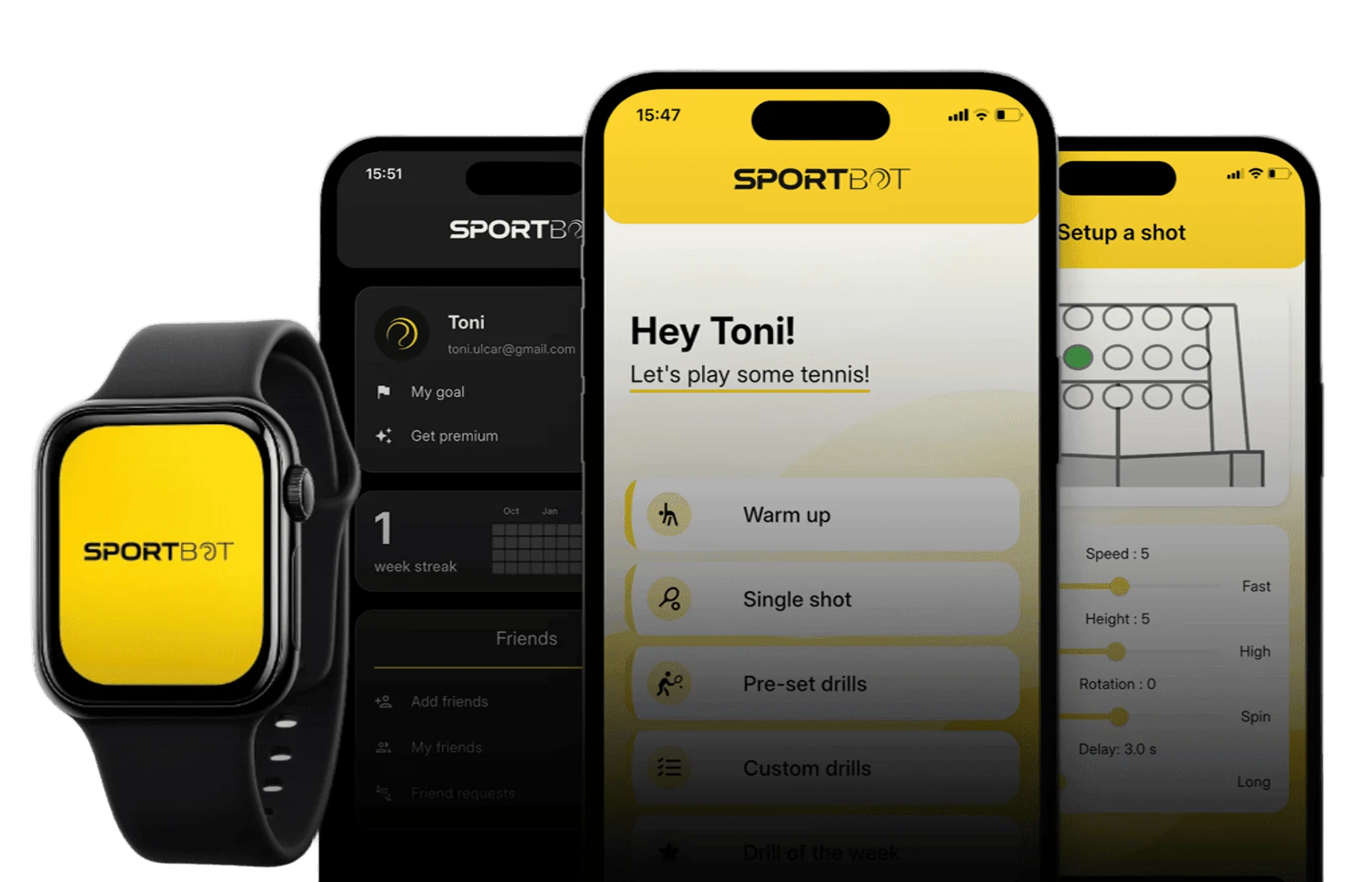
Plan your drills and control Sportbot from your phone. Apple Watch controls connect through your iPhone.



Download the Sportbot app
Download for iPhone or Android, then follow the account and setup prompts. Choose tennis or padel for your machine.
Connect
Switch on Sportbot, enable Bluetooth and allow the app’s connection permission. Open the connection control and select your machine.
Enjoy
Start with a warm-up or preset drill. Adjust shots and movement, or build a custom sequence for your next session.
Train smarter with the Sportbot app
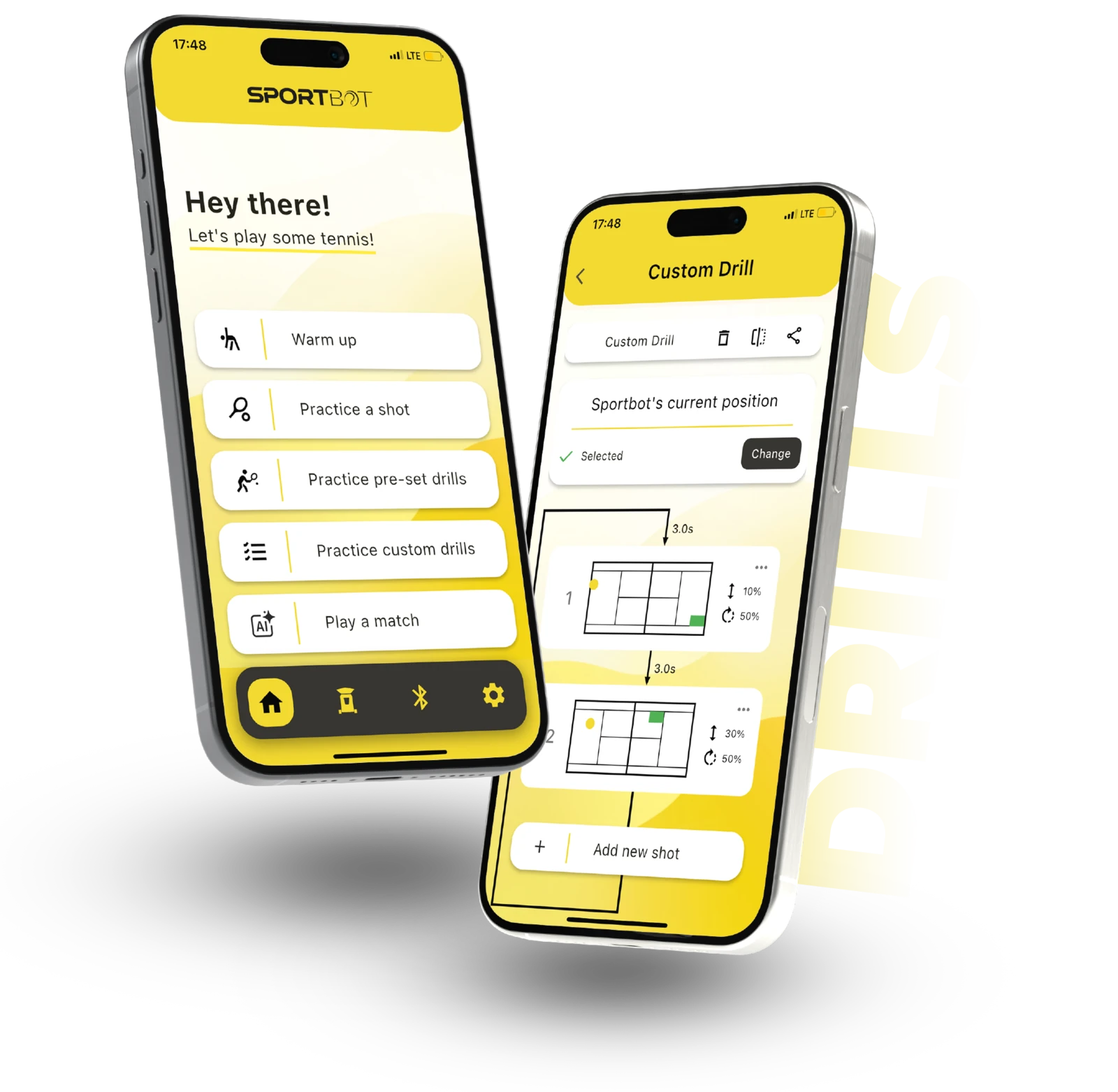
Warm up
Prepare your body and mind before practice. The Sportbot app launches random balls to your forehand and backhand, so you loosen up, build rhythm and boost agility with complete control over ball count and difficulty.
Practice a shot
Focus on a single specific shot and lock in muscle memory. With precise control over speed, height, rotation and launch interval, you tailor each shot to exactly what you need to improve.
Practice pre-set drills
Train like the pros with shot sequences developed by tennis experts. Sportbot moves across the court and simulates real-match scenarios to prepare you for offense, defense and everything in between.
Create your own drills
Take full control of your training. Build custom shot sequences with ball placement, pace and spin built to your weaknesses and goals. Program it once and let Sportbot execute it.
Play a match
It’s you versus the machine. Sportbot uses advanced algorithms to recreate real-match intensity. Unpredictable shots, constant movement and challenge that helps you push your limits.
Trusted by players, coaches, and club owners worldwide
Best tennis machine ever
I 100% recommend Sportbot if you are looking to improve and enjoy tennis at the same time!
Top Tennis Ball Machine
I love it. And the drills are amazing.
Killer drills!
You can set your own drills or use the preprogrammed ones, so it can be as easy or as hard as you want. 10/10, would suffer again! Loved it.
Benefit from the app without the launcher
Start practicing with purpose. Choose your target zone before each drill and focus on hitting it consistently.
Place your phone near the net post and let the AI model track every shot, analyzing precision and ball placement in real time.
Get a complete overview of your session with detailed accuracy reports and progress insights that help you improve faster.
Do I need the Sportbot launcher to use the app?
The app includes camera-assisted video analysis. A Sportbot machine is required for ball-launching and robot-movement controls.
How do I connect the app to Sportbot?
Turn on Sportbot, enable Bluetooth and allow the app’s connection permission. Open the connection control, select your machine and follow the setup prompts.
Is the app available for both iOS and Android?
Yes. The Sportbot mobile app is available on the App Store and Google Play.
What can I do once I connect the app to Sportbot?
Choose a warm-up, single shot, preset or custom drill. Adjust ball speed, spin, placement, launch interval and robot movement to build your session.
Can I review my practice videos?
The app includes camera-assisted training-video analysis, shot history and activity tracking. Use these tools to review your practice and plan what to work on next.
Can I share drills?
Use the app’s QR sharing controls to share a drill with another Sportbot user. Choose drills for the sport you practice.
Where can I find setup and connection help?
Follow the app’s connection prompts for Bluetooth access and machine selection. The user manual covers machine setup and first-use instructions.
Where do I check device compatibility?
The official App Store and Google Play listings show current device and operating-system requirements. Open the download link for your phone to check compatibility.